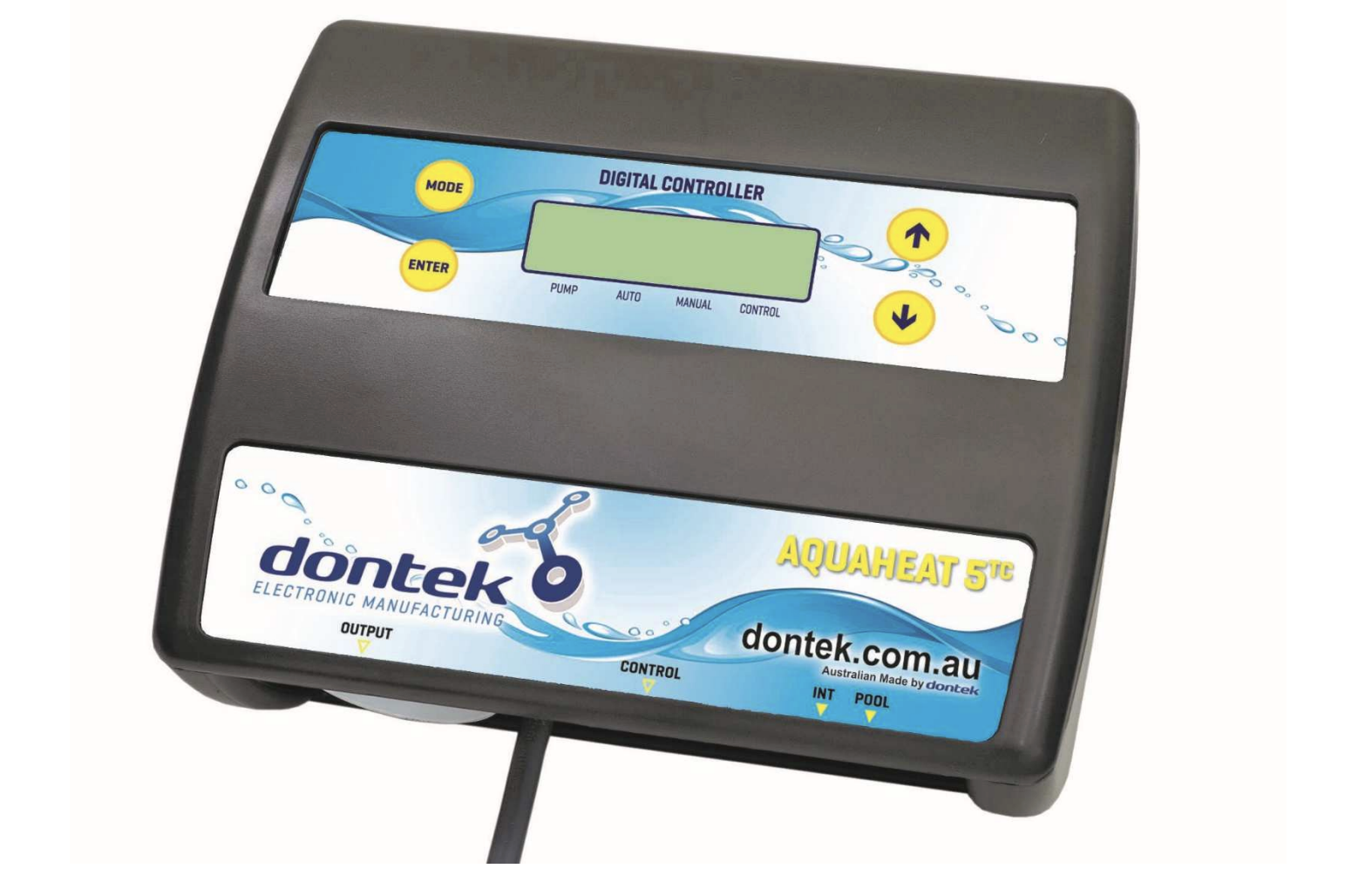
The AQUAHEAT H5TC is an intelligent pool and spa heating controller designed to work seamlessly with your existing chlorinator system. Manufactured by Dontek Electronics in Australia, this controller automates your pool heating while maintaining efficient operation and protecting your equipment.
How the H5TC Controller Works
The H5TC controller switches a 240Vac pump and controls a heater via a relay contact rated to 5A @ 24Vac. Its unique design integrates with your chlorinator, creating coordinated pool maintenance and heating.
When your chlorinator output turns on, the H5TC automatically activates the pump and heater based on your configured heating times and temperature settings. When the chlorinator turns off, the H5TC continues operating independently to meet its own heating requirements.
If the set temperature is reached or heating occurs outside programmed times, the heater switches off while the pump continues an adjustable cool-down cycle. This protects your heater from heat soak damage. After the cool-down completes, if the chlorinator isn’t active, the unit stops the pump and starts a sample wait period before checking the temperature again.
Installation Requirements
Controller Mounting and Location
Choose your installation location carefully. Mount the controller out of direct weather, at least 3 meters from the water’s edge, and a minimum of 600mm above ground. The 1.8-meter power cable must plug directly into a standard outlet, not an extension lead.
Fix the mounting bracket to a solid structure using the provided screws and wall plug kit, then slide the controller onto the bracket until it locks. Adjust the back screws for a snug fit. To remove, lift and gently pull away from the structure.
Pump Connections
Your pool circulating pump plugs directly into the 240V socket labelled PUMP on the controller. This allows the H5TC to control pump operation based on both chlorinator activity and heating requirements.
Sanitiser Integration
The sanitiser system (whether ioniser, chlorinator, or ozoniser) connects directly into a general power outlet, not into an extension lead. Then plug the black power lead from the H5TC into your sanitiser. Configure your sanitiser to operate for your required filtration and dosing schedule. The H5TC will coordinate heating operation with the sanitiser’s run times.
Pool Temperature Sensor Installation
The pool sensor must be fitted into the heating circuit as close to the pool as possible, preferably out of direct sunlight.
Drill a 14.5mm hole into the side of the PVC pipe (not the top where water collects). Use a Dontek PD01 grinding drill or create a pilot hole with a 14.0mm drill bit spinning counter-clockwise to minimise pipe shattering. Insert the grommet and gently push in the sensor barb.
Tie approximately 30cm of cable from the sensor to the shaded side of the pipe to prevent ambient conditions from affecting the sensor reading. Connect the blue sensor plug to the POOL socket.
Heater Connection
Connect the heater cable from the controller output marked HEATER to your heater’s flow or pressure switch. Verify the correct procedure with your heater manufacturer, as incorrect connections can void warranties and damage equipment.
Operating the H5TC Controller
Understanding the LCD Screen
The LCD screen provides comprehensive information about your pool heating system. In automatic mode, the display shows pool and roof temperatures, the temperature limit setting, operational status (on/off/locked-out), and the current time and date. When in manual heating mode, the controller displays the current temperature alongside your set temperature target.
Arrow icons on the LCD screen point to corresponding text on the controller label, making navigation intuitive and straightforward.
Operating Modes
The MODE button provides access to four operating modes:
Heating Mode (AUTO) performs heating during your configured runtime periods. This is the standard mode for regular pool use.
1st Heat Mode ignores the run timer and operates continuously until reaching your target temperature. Once achieved, the controller automatically reverts to standard heating mode. Ideal for first fill or after extended periods without heating.
Standby Mode suspends heating but maintains system health with a three-minute maintenance flush daily at noon. Use during vacations or when heating isn’t required.
Cooling Mode works with heat pumps that have cooling functionality, operating during your configured runtime when the pool temperature exceeds comfortable levels.
Setting Your Temperature
Temperature adjustment couldn’t be simpler. Press the UP button to increase your pool or spa temperature limit, and press the DOWN button to decrease it. The controller maintains your target temperature automatically once set.
Accessing the Settings Menu
Press ENTER once to turn on the LCD backlight. Press ENTER again to access the settings menu. Navigate using UP or DOWN buttons. Flashing values indicate selectable options. Press ENTER to confirm.
Main menu options: EXIT, CLOCK, RUNHRS, and SYSTEM.
Clock Settings
When you select the clock menu, you’ll set the current time of day. This ensures your heating cycles operate at the correct times and that the maintenance flush occurs at the proper interval.
Configuring Heating Cycles (RUNHRS)
The RUNHRS menu sets the number of automatic heating cycles per day: OFF, 1, or 2 cycles.
Selecting OFF disables automatic heating. Selecting 1 or 2 cycles prompts you to configure start and end times for each cycle in half-hour increments. The heater only operates between specified hours.
System Settings
The SYSTEM submenu provides advanced configuration:
Sample Time determines how long the pump stops after reaching temperature before rechecking. Smaller bodies (spas) need shorter times, larger pools need longer times. If the pump runs for only three minutes and stops frequently, increase the sample time.
CAL (Calibrate) calibrates the TS02P sensor for accuracy.
Heater Cool-Down protects your heater from heat soak by running the pump for 1 to 30 minutes after the heater switches off. Heat pumps requiring no cool-down use HP mode.
LCD Time adjusts backlight duration after button presses. Select NONE for always-on.
Defaults returns all settings to factory values.
Important Operating Notes
Key operating features and behaviours:
- Menu items left unattended for three minutes automatically save and return to operation
- Sensor faults display which sensor failed and the fault type
- Power interruptions don’t erase settings (retained for up to 10 days)
- If the controller stops with a high temperature displayed, check if the pump needs priming, then reset by turning off/on
- Maximum 240V socket load: 9.98 Amps or 2395 Watts
- Moisture protection: IP33 rating (suitable for outdoor installation under cover)
- Power-up counter shows interrupted heater cool-down cycles (cannot be reset)
- A voltage-free switch can be wired into the right-hand red plug to force heating outside demand times
Warranty Coverage
The AQUAHEAT H5TC comes with a limited three-year warranty against component failure or faulty workmanship from the date of installation. Faulty units should be returned to the dealer where you purchased the unit.
Damage caused by misuse, power surges, lightning strikes, or installation not following manufacturer’s instructions may void the warranty. The warranty does not include on-site labour or travel costs to or from the installation site.
If the power cord becomes damaged, do not use the controller. Return the unit to your supplier for repair.
Safety Considerations
This appliance is not intended for use by young children or infirm persons without supervision. Please ensure young children are supervised to prevent them from playing with the appliance.
Support and Service
For service assistance, contact Dontek Electronics at [email protected] or phone +613 9762 8800. The company is located in Bayswater, Victoria, Australia, and provides comprehensive support for all its pool control products.
Final Recommendations
The AQUAHEAT H5TC provides sophisticated pool heating control while maintaining simplicity in daily operation. Success with this system depends on proper installation, particularly correct sensor placement and heater connections. Take time to configure your heating cycles appropriately for your usage patterns, and adjust the sample time based on your pool size and temperature requirements.
By integrating heating control with your existing chlorinator schedule, the H5TC maximises efficiency while minimising unnecessary pump operation, saving energy and extending equipment life.